Saturday, November 3, 2012

Using Winbox Mikrotik Configuration


Using Winbox Mikrotik Configuration
MikroTik RouterOS ™ is an operating system and software that can be used to make computers even become a reliable network router, includes a variety of features designed to ip network and wireless network, suitable for use by ISPs and hotspot provider. Winbox application is one of the aids in setting mikrotik application.
GUI-based applications. With the Winbox, the user is facilitated
in setting mikrotik

Using Winbox Mikrotik Configuration
1. Run VMWare Workstation 8.

2. Run Windows XP in VMware.


3. Run Operating System also Mikrotik.
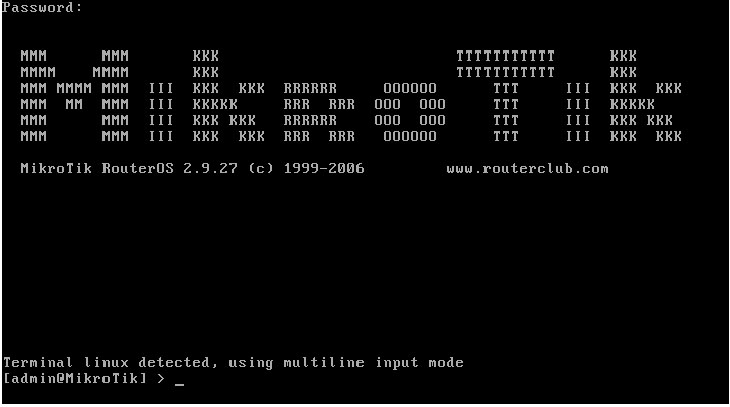


4. Open the application WinBox.


5. Upon entry into the Winbox. Click the IP-Address. Click the + button to add IP
address.


6. 192.168.138.10 is a Public IP to mikrotik. IP is IP
class with VMWare Network Adapter IP's in control panel windows 7
(host).
7. Setting in the mikrotik gateway, so that the proxy can tekoneksi internet.


8. Do not forget to setup DNS with IP 192.168.138.2.


9. After setting the Gateway and DNS in mikrotik. Perform NAT, for windows XP
(guest) can be connected to the Internet.
Click the IP-Route. Then click NAT, click the + button.
On the menu tab "General" typewriting network local network "10.10.10.0/24". and in
tab menu "Action" typewriting public proxy IP "192.168.138.10". Do not forget to
action select the "src-nat '.


10. The next step ping test to google. If you reply, mikrotik successfully configured.


11. Ping tests using Windows XP guest.


12. Ping test is successful. Open www.google.co.id the browser in windows XP
guest.


13. The configuration was successful. Windows XP guest already connected to the Internet.
do forget to say some things in commen..
Good Luck!!

Using Winbox Mikrotik Configuration

Thursday, October 18, 2012

Linux Internet hosting - 4 Disadvantages That You Ought to Know

Linux Internet hosting - 4 Disadvantages That You Ought to Know

Two major gamers within the operating system discipline are the Home windows and Linux system. Like every other factor on the planet, each have their advantages and disadvantages. Therefore, deciding on which working system will purely be primarily based on the preferences and requirement of the user.

The Linux operating system is well known for its reliability regardless that it is an open-sourced software. Nevertheless, there are some disadvantages that their customers will face when utilizing it.

1-    Linux packages differ from completely different corporations as a result of it's open-sourced operating system. Most developers are unbiased but all of them contribute to its upgrades and maintenance. Therefore, they might be some issues of incompatibility when you get upgrades or updates from different source.
2-    Linux also has much less application that users can use with their website hosting package deal compared to Windows which has plenty of application. So, there shall be a drawback for online business owners if they wish to additional customise their websites.
three-    Linux should not have the flexibility to support scripts which can be based on Home windows technology. Programming language like ASP is unusable within the Linux condition. This is additionally the reason for dilemma for purchasers in the event that they need to change from Home windows to Linux
4-    Linux operating system typically comes with restricted support. Due to this fact, it's exhausting for newcomers to make use of it. Unlike Windows which is develop by Microsoft and has an enormous assist centre, Linux is open-sourced software program, therefore, the assist varies from completely different contributors.

So, despite the fact that Linux is a extra dependable and reasonably priced working system resolution, there are things to look at earlier than any users opt for it as a result of it could be an obstacle for some users. For experience webmasters, it's extra seemingly that they will choose Linux as a result of they've huge experience in dealing with technical issues once they happen.           
Linux Internet hosting - 4 Disadvantages That You Ought to Know