Showing posts with label Computer And Tips. Show all posts

Saturday, November 3, 2012

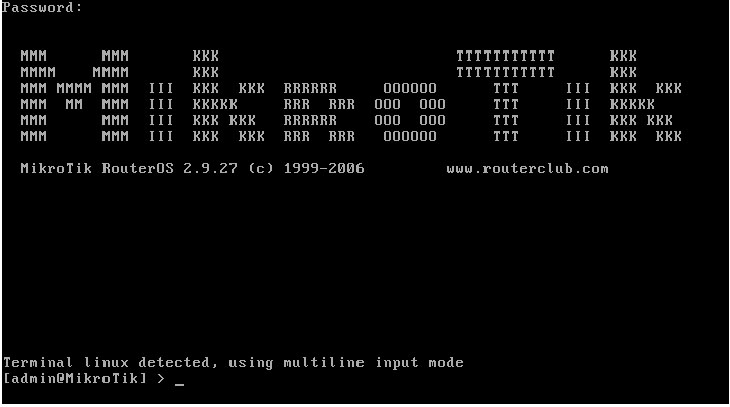
Using Winbox Mikrotik Configuration


Using Winbox Mikrotik Configuration
MikroTik RouterOS ™ is an operating system and software that can be used to make computers even become a reliable network router, includes a variety of features designed to ip network and wireless network, suitable for use by ISPs and hotspot provider. Winbox application is one of the aids in setting mikrotik application.
GUI-based applications. With the Winbox, the user is facilitated
in setting mikrotik

Using Winbox Mikrotik Configuration
1. Run VMWare Workstation 8.

2. Run Windows XP in VMware.


3. Run Operating System also Mikrotik.


4. Open the application WinBox.


5. Upon entry into the Winbox. Click the IP-Address. Click the + button to add IP
address.


6. 192.168.138.10 is a Public IP to mikrotik. IP is IP
class with VMWare Network Adapter IP's in control panel windows 7
(host).
7. Setting in the mikrotik gateway, so that the proxy can tekoneksi internet.


8. Do not forget to setup DNS with IP 192.168.138.2.


9. After setting the Gateway and DNS in mikrotik. Perform NAT, for windows XP
(guest) can be connected to the Internet.
Click the IP-Route. Then click NAT, click the + button.
On the menu tab "General" typewriting network local network "10.10.10.0/24". and in
tab menu "Action" typewriting public proxy IP "192.168.138.10". Do not forget to
action select the "src-nat '.


10. The next step ping test to google. If you reply, mikrotik successfully configured.


11. Ping tests using Windows XP guest.


12. Ping test is successful. Open www.google.co.id the browser in windows XP
guest.


13. The configuration was successful. Windows XP guest already connected to the Internet.
do forget to say some things in commen..
Good Luck!!

Using Winbox Mikrotik Configuration

Sunday, February 26, 2012

Virtual Desktops - Real Financial savings

Virtual Desktops - Real Financial savings

There's by no means been a greater time to chop overheads by up to 60%, and you can do it by deploying a Digital Desktop Infrastructure (VDI).

VDI can slash the cost of your present desktop atmosphere - and lower energy use by 60%, as well. At the similar time, you get better productivity, higher security and extra business agility. VDI also reduces your total cost of possession by lengthening hardware life. This can assist you implement your VDI programme quickly and reduce your operating costs faster.

­ Minimize support prices as much as 60%
­ Improve security
­ Save on equipment
­ Enhance productiveness
­ Reduce carbon footprint
­ Increase enterprise agility
­ Assure back-up
­ Lower complete cost of possession
­ Get 12 month payback
­ Achieve integral catastrophe restoration

The most important expertise

Digital Desktop Infrastructure (VDI) is the certain option to reduce costs and increase efficiency. Forrester call it "the most important expertise to hit the corporate PC house because the skinny shopper". A current survey by IDG Analysis Providers suggests that 34% of corporate desktop supply can be virtualised by the tip of 2010. The reason being that the majority businesses are centred on individuals sitting at desktops, and it prices quite a bit to provision and manage this PC estate. Even worse, it has been calculated that only one per cent of the funding in desktop assets is used at anybody time - in any organisation.

Desktops are also a headache for directors; assist and upkeep are labour-intensive and Information again up and security is a constant problem.

You acquire immediately

VDI can take away all these worries and much of the associated fee since you create a virtual desktop infrastructure and consolidate the PC content onto centralised servers. Your customers have thin client access, enabling you to immediately deliver down the costs of hardware, power and licences by 40 to 60%. Security is ensured, again ups are automatic, catastrophe restoration is integral and crucially, you'll rework your administration.

Better for less

With traditional desktop computing the IT division usually has to dispatch a technician to resolve many finish consumer issues. You may stop this instantly with VDI, as a result of the main infrastructure is managed centrally.

All the things runs on servers that can be controlled centrally from an information centre. All information and applications are supplied from there to your users. This means that a technician can have any user up and working in minutes without even stepping out of the information centre. Your IT folks may give better assist at lower value, and everybody turns into extra productive.

As the primary useful resource (storage, processing power etc.) is centralised, you do not have to interchange the virtual devices. Typically, a VDI machine can run for ten years, so you scale back your complete cost of possession (TCO) nonetheless further. You protect knowledge to, as a result of the servers are safe (desktops are notoriously weak to data loss).

Still a very good user expertise

Importantly, with VDI you will not diminish the person experience. Virtual hosted desktops will not be mere dumb terminals. The top customers will obtain the identical wealthy experience they have turn into accustomed to from their PC.

Quick payback

You could see an nearly quick payback from VDI. Whenever you add up the features from centralised management and support, along with shared storage and the discharge of idle capability, clients typically achieve a return on funding inside 12 months: And it has never been extra essential to make these financial savings!

Because the numbers of employees relying on desktops has grown, the support duties have change into more demanding. It is increasingly complicated and labour-intensive to deploy or patch desktop operating methods, update anti-virus signatures and safe data. Additionally, for optimum productivity and safety, you should assist branch, distant and residential-workers as if they had been in head office.

Like taking 35 automobiles off the street

And, in case you are concerned about your carbon footprint, suppose what slicing desktop energy consumption by 60% can do for you. One medium-sized company that switched to VDI stated it was the equal of talking 35 cars off the road.

Acquire immediately

As a result of administrators can provision new desktops in minutes, giving customers their own personalised environments, with less need for retraining, you not solely decrease your TCO - you also turn into more agile. You possibly can respond sooner and compete more effectively.

Go to EMAContinuity @ http://emacontinuity.com
Virtual Desktops - Real Financial savings

Citrix Xendesktop 4.0 Introduces Flexcast and Per Consumer-Gadget Licensing

Citrix Xendesktop 4.0 Introduces Flexcast and Per Consumer-Gadget Licensing

XenDesktop 4.0 is the most recent version of Citrix's desktop and software delivery suite which incorporates some main adjustments in delivery and licensing.

The earlier model, Citrix XenDesktop 3.zero offered a major leap ahead for Citrix in Digital Desktop Infrastructure (VDI) space, as this model thought of by many to be Citrix's first serious contender in the VDI market.

The licensing restrictions in place with the previous versions (excluding the standard edition) have now been lifted in version 4.0 with XenDesktop being able to deliver desktops and purposes in a mess of ways.

The previous versions licensing restricted the delivery of desktops utilizing presentation virtualization when used in conjunction with Citrix XenApp product. If organizations wanted to ship a XenApp inspired desktop they must deploy a separate XenApp solution, which required costlier XenApp licenses. These licensing restrictions only allowed purposes hosted on XenApp to be delivered as part of the XenDesktop VDI desktop.

This pushed the price of deploying XenDesktop greater because solely a VDI answer was doable, which in flip required more hardware, because the consumer density per server was decrease than just using a XenApp based solution. It just didn't make sense why Citrix would include the restrictions on XenApp licenses within the XenDesktop suite and cease it's use as a price effective alternative delivery mechanism for desktops as a substitute of simply counting on VDI?

Citrix FlexCast

This inflexibility changed with the XenDesktop 4.0 suite, with the introduction of what Citrix calls 'FlexCast', which is being touted as 'any desktop, any app, any manner'. Flexcast can now deliver desktops and functions by quite a lot of methods together with Presentation Virtualization utilizing the terminal server type distant access to functions and desktops along with desktops and purposes from VDI hosted machines. There are different strategies too, which all in all, give Flexcast a set of totally versatile supply options.

With Citrix XenApp now being integrated into XenDesktop, the flexibility of catering for a wider variety of customers is possible. Those customers who do not need full on desktops resembling those delivered by VDI, can now entry desktops hosted on XenApp, because the XenDesktop license (Enterprise and Platinum Edition only) is free of the previous restrictions.

Citrix Per Consumer/System licensing

XenDesktop 4.0 also introduces 'per person' and 'per system' licensing options. This brings this Citrix product according to other main vendors equivalent to Microsoft, who also use the per user/machine licensing approach.

Originally, the 'Per Named User' (PNU) licensing model was advocated to switch the current ConCurrent User (CCU) licensing model, nevertheless after suggestions from clients that this might make this Citrix product very expensive and therefore unattractive, Citrix bowed to the stress and utilised a versatile licensing method with a 'per person', 'per gadget' and CCU licensing (solely in sure editions) being available, with PNU licensing being scrapped.

With 'per consumer' licensing if there have been for example 10,000 customers in an organization who all use Citrix delivered functions and desktops and out of those 10,000, solely 2,000 access the Citrix delivered purposes and/or desktops at the identical time, under the present CCU licensing, only 2,000 licenses would need to be purchased. Nonetheless, with 'per person' licensing there is a shift for each user who accesses the system being licensed, so on this example, all 10,000 users would must be licensed. If there were only 2,500 units getting used to access XenDesktop but still 10,000 users, then it will make sense to undertake a 'per system' licensing option.

Citrix remains to be providing the CCU licensing model but only within the VDI version, so organisations can pilot the choice of going VDI with lower licensing costs.

Schooling establishments will be able to get campus extensive licenses which is able to make XenDesktop an attractive option.
Citrix Xendesktop 4.0 Introduces Flexcast and Per Consumer-Gadget Licensing

Advantages of Zero Client Over Thin Shopper

Advantages of Zero Client Over Thin Shopper

The argument regarding the prevalence of Zero Shopper VDI over Thin Client VDI and vice versa is kind of a scorching topic among the many discerned tech population. Though each of them are basically quite related, when considered that manner through which they function. Each move the computing course of back to the info center, not leaving anything more than a keyboard and monitor with the user. However both of them differ when you look deeper into the method wherein they operate.

The First Advantage of Zero Consumer over Thin Consumer: Does not Want Native Processing Energy or Regionally Installed Software program

Both the processes' important forte could also be distant functioning, however on one hand the place skinny shoppers want localized processing energy and software program that are put in locally. Zero clients then again do not need any such native help and are straight related to digital PCs in a knowledge center that's usually achieved by way of an Ethernet connection. That is the primary motive why it's fast, efficient and safe to run utility when it's coupled with virtual desktop infrastructure (VDI).

The Second Benefit of Zero Client over Thin Shopper: Secure and Secured Operating Systems with the bottom Threat of Injury

Yet another important benefit of zero over skinny client is the compact nature of the former. While skinny consumer operates on Windows CE or Embedded XP platforms and have comparatively greater dimension of RAM that ranges from 16 to 256 MB, its competitor works on fully embedded platforms and have a much smaller measurement of RAM that is between four and 32 MB. This makes the later far more stable and protected from virus threats while the previous is quite vulnerable in the face of such problems.

The Third Advantage of Zero Shopper over Thin Consumer: Saves Power and Cash and is the Most Efficient among the many Two

In the present day on this planet where energy and money saving are the primary mantra for corporate organizations, thin shopper scores much lower than its counterpart. In case you take into contemplation the facility utilization, you'd see that on one hand where skinny shopper system makes use of somewhere between 15-40W of power because of the followers connected to it, zero client programs use most energy of 5W due to no transferring half included with it. This makes the later to be less expensive and simpler to afford.

Aside from the above talked about benefits a zero shopper has fairly just a few different advantages over any of its counterparts. It is more durable in its usage, more dependable and most importantly prices a lot lower. Seeing these advantages, just a few firms like Pano Logic Inc., Wyse Technology and Digi Worldwide have started taking part in within the zero consumer space. As far as the future is anxious, it appears to be like really brilliant and we are able to easily say that zero scores rather more than anybody else!
Advantages of Zero Client Over Thin Shopper

The Many Advantages Of Remote Desktop Services

The Many Advantages Of Remote Desktop Services

The pc has turn into a very fashionable and obligatory a part of all of our lives. They are seen in every single place from a traditional house to the biggest work space. All individuals have a use for a computer and are utilizing them at massive rates. Despite the fact that a pc is part of all of our lives, we're not at all times near the pc we'd like data from. Attributable to this reality, remote desktop providers have turn out to be increasingly popular. There are many the explanation why somebody would want to take advantage of the companies that a distant desktop service would provide.

The most typical purpose a remote desktop service can be used is for business purposes. Even though folks do depart their jobs to go dwelling for the day, the business day isn't really done. There could also be a time when they need to get to information on their main laptop and with the help of a distant desktop, that motion is very possible. There isn't a want to fret about having to hurry back to the office. The main computer and all of its capabilities and functions might be accessed from any computer that has an internet connection.

When someone is trying to use a remote desktop service, they first want to seek out a computer with an web connection. A selected web site will must be accessed and the correct go code will should be entered. As soon as this go code is accepted, entry is granted and the principle laptop might be accessed as in case you have been right there in entrance of it. The information might be saved and transferred and used in any manner that's needed. This distant service offers comfort to anyone who wishes to have the ability to work out of their office. Remote desktop companies are a life saver for individuals who work from home. This may be for workers who have opted to get out of the workplace and make one at residence or it may be for freelancers who selected to work out of their homes. Each varieties of staff will be capable of achieve access to a predominant laptop and be capable of carry out the duties and the features that they're expected to do. Having the choice to work out of the office as well as entry the files and capabilities which can be needed, saves time and vitality by many individuals and creates more efficient work.
The Many Advantages Of Remote Desktop Services

Virtualization is the New Actuality

Virtualization is the New Actuality

Digital Desktop infrastructure - it seems to scream out from every nook of contemporary IT world. Despite the huge quantity of advantages that this technology affords, it still doesn't appear to overcome the worry of potential issues related to that idea. How does one decides to offer it a go? Nicely, many are troubled by this question for a long time now. Let's have a more in-depth take a look at what scary monsters are hiding behind that fairly forest of opportunities.

The world seems to turn full 360 degrees In the past 30 years. Coming from humongous most important frames and dummy clients to powerful personal computers and all the way in which back. From the primary glance at the state of affairs, it doesn't make sense. If the mainframe infrastructure labored in the first place, why it has been replaced with personal computer systems at every working desk. And than once more, if the personal computer systems work properly, why would anyone, dig up the thought of dummy terminals and push it back into the world? The reply can be some what difficult, than one can expect.

It at all times has been a struggle, a campaign if you will, to search out that "Golden Grail' of balance between pace and practicality, energy and value, efficiency and energy consumption. This fixed motion in laptop world, to push limits further than they ever have been, this, has created the house have been a single group can have laptop infrastructure extra powerful that it might probably deal with and more advanced than It could wish to handle.

So what can VDI technology supply to balance this case? On the end of the day it centralizes whole system and gives an final control to the system administrator. No extra operating around between individual computers, mapping arduous drives and fixing little bugs of the system. One main computer, one system and everybody else utilizing a customized model of it. Sounds easy proper? Effectively, not exactly. There are a whole lot of hidden bumps and ditches alongside the way. First, deployment of that setup will in all probability require a venture supervisor to draw a couple of month plan. Because no matter when you've got 5 people or 100, there's quite a lot of configuring to do. Sounds scary? Don't run away simply yet, there should be a brilliant mild shining at the finish of the tunnel.

If that's how sophisticated and exhausting it's, why would anyone go from laptop per person to the centralized VDI? The reply is straightforward, that is the final laborious thing you'll ever do to regulate, customise and deploy any of your IT needs. Upon getting VDI in place, there is only one(or set of servers) to support. One system, one set of utility to share among all consumer's digital PCs, one place to find it all and repair it all. It'll dramatically scale back your small business IT cost and enhance data security.

Feeling a little bit bit higher about the issue? Lets take a look at options. For the time being, the main stream of the Digital Desktop Infrastructure lies in the cloning system over virtualized hardware. Very clever concept, I must admit. Principally, you put in one system, virtualize your Server hardware and clone this method to this digital machine with the settings person requires. Simply genies! Not so simple though. There has been a variety of development in this area, and it will get extra powerful, versatile and purposeful with every new release. Now you may have a cluster of Servers that can change customers between them with a purpose to balance the load. Fancy huh?Wait, there is more. With V-hyper and ZEN virtualization, you'll be able to steadiness everything: amount of memory each digital machine get, processor resources and much a lot more.

It is not all vivid and colorful as it may be though. Think about it, you want laptop to make use of your applications - right? There is no such thing as a point in working system on its own. It's not like you really need that wallpaper for your work. But every time you create a virtual machine, it slams the clone of the working system there as well. What occurs subsequent many can guess - you operating out of reminiscence, just because each virtual machine has to place sound icon on your desktop notification bar.

There's various choices though. Alongside the side of the massive boys, there has been other type of VDI [http://www.netleverage.com/index8ecf.html?possibility=com_content&job=blogcategory&id=eighty five&Itemid=93] growing. It achieves the identical outcomes, however in a slightly different manner. Instead of spawning digital machines and cloning methods, it creates and image of the file system for every user. Now you do not have to initialize the entire new system, however use the present one with your identity. The whole lot you do and every part you're employed on will not intervene with original system, however will probably be retailer by it under your digital system, cool huh? There are quite a couple of software program options on the market right now, they may be not as dramatic and basic just like the BIG guys, but they do job and that's what counts.

Personally, I have never made my thoughts which expertise has brighter future, I guess it is dependent upon the your requirements for the system . But I'm very happy that there's two streams in that discipline, which assist to steer the World of IT in the proper direction.
Virtualization is the New Actuality

Remote Entry to Another Laptop Using Microsoft Terminal Companies Console

Remote Entry to Another Laptop Using Microsoft Terminal Companies Console

Remote Entry to a different Windows PC in your home or business is a very highly effective tool. Sit in your chair in entrance of your PC and management another PC as if you have been sitting in that chair. If your home has a wi-fi wi-fi router, all your PC's are related together there into one network.

You can launch software packages on the remote PC (the 'host') even if they're not installed in your PC (the 'shopper'). Be aware: You can't copy software or packages from one PC to a different; you'll be able to only launch this system on the remote PC and management it from where you are.

There are a number of economic applications you can use to entry a PC from another PC. This article tells you easy methods to launch one remote management utility that works throughout a home or business network. You may need the ID and Password for a User ID on the distant PC, or you should use an Administrator ID.

This distant software is free with Microsoft Windows however most people do not know it exists. Microsoft Terminal Companies just isn't in your Start/Applications menu, however it's straightforward to launch.

Find the "Windows" key on your keyboard. It seems to be like the waving four-squares Windows logo. Early versions of Windows had a Start Menu merchandise known as "Run" that's been dropped on newer versions. To launch the Run field, press the Home windows key and the "R" key at the identical time.

Type mstsc in the white pull-down discipline within the Run field and press OK. For those who overlook, the letters stand for MicroSoft Terminal Companies Console. Next time, just pull down the white text field and click mstsc

You'll get a dialog box where you'll fill in particulars concerning the other PC. Once complete, you'll be able to log in to the other PC as if you had been sitting in entrance of it. You may select to have your login details remembered for you.

If the remote PC doesn't have any passwords set for its users, you'll have to both:

A. Add (easy) passwords for every login ID, or,

B. Edit the security settings to allow remote logins with out a password (do a Google seek for details). Changing the safety settings is just a bit complicated for abnormal users, but when Windows permitted remote logins to PC's with out passwords, anybody could remote into any PC at any time. You can do that, but you must have physical entry to the remote PC one time to edit the security.

Should you resolve to add passwords to consumer accounts, also take into account adding Restricted (non-Administrator) accounts for different users, visitors, children, etc. so they don't tinker with settings on your ID.

While you login remotely, you'll see what's on the remote PC's monitor, and your keyboard and mouse will control it as if you have been sitting there.

There are a number of essential details. If another person is logged on to the remote PC, your login will lock them out. You'll be able to click the 'Choices' button on the mstsc dialog box to allow a lot of features resembling having the distant PC's sound play by way of your speakers, allow keyboard HotKeys, etc.

When your work is finished, click on the "X" on the banner at the top of your monitor and you'll be disconnected from the remote PC.

There are different software program instruments that allow you to remotely management PC's on your network, and even throughout the public Internet. Many are free for private use, but require cost for enterprise use. Most let both users work at the identical time, so you may help a pal do some work on their PC, rather than explaining every detail to them over the phone. This can save you each a substantial amount of time, since both of you can see their display and use both mice and keyboards.

I'll explain other distant management solutions in different EzineArticles.
Remote Entry to Another Laptop Using Microsoft Terminal Companies Console

Wednesday, February 22, 2012

What Is the Position of Utility Virtualization in DV?

What Is the Position of Utility Virtualization in DV?

The modern options launched by IT are accountable for transformations in our existence. Perfunctory operations have enhanced the chance of agile and cohesive options, offering us with huge benefits. Virtualization is an added milestone that has turned visionary makes an attempt into reality. Virtualization in easy IT phrases means offering a detachable environment free from any underlying IT assets, such as hardware or OS. The properties of server and software virtualization have now prolonged to desktop virtualization, or DV.

What is DV?

Desktop virtualization permits the person to make use of the desktop atmosphere virtually. It means which you could entry your applications, information and personal settings on virtual desktops working on a centrally situated single pc or server. You possibly can work uninterruptedly in your desktop from any geographical location via a LAN/WAN or internet connection by means of the thin consumer virtualization process, thus promoting green technology. Desktop virtualization has been a boon for people who are on the move. The cellular workforce has been showered with limitless facilities that enhance prospective enterprise opportunities.

Desktop virtualization has been instrumental in the explicit progress of organizations spawning a number of functions and a number of units. Call centers have gained tremendously with the introduction of desktop virtualization, the place a single physical machine might be utilized to offer multiple digital workspaces. This has resulted in value financial savings as the use of underlying resources and space for storing is nearly negligible. DV gives versatile and free accessibility without any complex management protocols.

What's Software Virtualization?

Software virtualization is the supply of software that is working on a remote server as an alternative of being installed on your computer. The purposes can run in isolation, and there's no fear of the registry or file programs interfering with another applications. The software applications are executed from a distant server and can be utilized by multiple users.

Application virtualization saves on hardware prices as well as licensing costs required for OS and software. It could possibly manage large volumes of work with out affecting the user, thus offering a whole experience. The flexible nature facilitates easy administration of purposes including upgrades and migration. Application virtualization is particularly beneficial for e-commerce functions and is predominantly meant for banks, stock merchants, insurance administration and provide chain management.

Relevance of Application Virtualization in Desktop Virtualization

The act of offering virtual desktops depends on Digital Desktop Infrastructure, or VDI, where a single pc is turned on to run a number of digital machines. Utility virtualization has a core operate in the design and implementation of the VDI, which supports shared swimming pools of virtual machines and makes the process a possible feat. The whole digital workspace is offered to the consumer on a skinny shopper gadget by a LAN/WAN network.

Extra organizations are turning in the direction of desktop virtualization and utility virtualization as they realize the large potentials of those technical processes that are bound so as to add yet another dimension to their businesses.
What Is the Position of Utility Virtualization in DV?

The A to Z of Healthcare for IT

The A to Z of Healthcare for IT

A: ASCII - The American Customary Code for Information Interchange is a personality encoding system which represents customary text characters in addition to quite a lot of terminal control characters used to transmit information.

B: BCDR - Business Continuity and Disaster Restoration techniques describe an organisation's preparation for unforeseen risks to continued operations and IT techniques to stop information loss.

C: Select & E book - The nationwide digital referral and booking system which permits sufferers to choose and select their preference of when and the place they obtain their initial Oupatient appointment on-line or by telephone. It may also be used by all healthcare professionals.

D: Knowledge Warehouse - A database holding huge amounts of raw data that are used for analysis and reporting functions of all facets of affected person information. This knowledge must be actively managed and collated ready for use.

E: EPR - The Electronic Affected person File for a affected person, also called Digital Health Report (EHR) or Computerised Patient Record. This this an digital report of a lot of key affected person demographics together with assessment, appointment, clinical note, equipment, documentation and discharge information.

F: FOI - The Freedom of Info Act aims to make information held by public authorities extra accessible to the general public and allows individuals and firms to request a wide variety of material.

G: GPSoC - GP Programs of Choice is a scheme through which the NHS will fund the supply of GP clinical IT programs in England.

H: HL7 - Health Level 7 develop a set of international healthcare interoperability standards. The HL7 language customary created by the organisation gives a platform for the sharing and exchange of information between different healthcare systems.

I: Informatics - The science of processing data. Inside health and social care, it's used to discuss with the processing of knowledge on sufferers and purchasers by means of IT systems.

Ok: KSF - The NHS Information Expertise Framework is a development device which contributes to decisions about pay progression for staff. It is made up of 30 dimensions which type the primary elements of the framework.

L: LSP - Native Service Providers act as "integrators" to ensure that local systems meet nationwide requirements and that they facilitate knowledge movement between the native and national systems.

M: MPI - The Master Affected person Index is a database that maintains a singular index (or identifier) for every affected person registered at a well being care organization.

N: N3 - The New Nationwide Community, a private broadband community linking NHS sites in England and Scotland run by BT.

O: Open Source Software program - A form of collaboratively developed, freely accessible software program or software which describes a extra open, networked and person generated method of creating concepts and projects.

P: PAS - Patient Administration System records all key patient demographics and can also be accountable for monitoring and scheduling Outpatient appointments.

Q: QIPP - The High quality, Innovation, Productiveness and Prevention (QIPP) programme which attempts to engage and remodel NHS providers to improve affected person care while delivering efficiency savings.

R: RTT - "Referral to Remedy" goal which defines the maximum wait that a person should expertise for an initial appointment following referral to acute Outpatient services. This was abolished as a proper measure however nonetheless exists as a target for Trusts to exceed now not than an 18 week wait.

S: Spine - A central database of all Summary Care Information which is on the market to all NHS employees nationwide. This kinds part of the Care Records Service.

T: Telehealth - Healthcare supported by use of telecommunications. This could comprise a number of mobile technologies, and permit employees to remotely access and add to patient information for community and domiciliary care or use video-conferencing.

U: UKChip - The UK Council for Health Informatics Professions which enable info to be collected, managed, used and shared safely to help the delivery of healthcare and promote health.

V: VDI - Virtual Desktop Infrastructure (VDI) is the observe of hosting a desktop working system inside a virtual machine (VM) running on a hosted, centralized or remote server.

X: XML - Extensible Markup Language (XML) is a set of rules for encoding paperwork into machine-readable form.
The A to Z of Healthcare for IT

IT Infrastructure Necessities

IT Infrastructure Necessities

Whether you are inheriting an present IT infrastructure or building a new one from the ground up, there are important applied sciences and techniques that have to be carried out to ensure a secure and stable environment. By years of providing administration/implementation providers of information systems/networks, I've achieved a excessive degree of shopper satisfaction by implementing the next solutions/strategies.

Backup/Catastrophe Recovery (DR) Plan - Whether or not your environment consists of a single desktop with a few gigabytes of knowledge, or a large agency with terabytes of knowledge, a backup strategy and DR plan must be outlined, carried out, and most importantly tested. Whereas cloud backup solutions provide all the protection with none of the hassle, traditional backup applied sciences corresponding to tape are still an efficient solution. The goal should not be simply to implement a knowledge backup technique, however a knowledge restoration solution. DR plans can include a replicated web site location with identical gear on standby within the case of an emergency, or just ordering new gear and restoring from backups if needed. Creating a DR plan is usually began by asking administration the question, "What would happen to your organization tomorrow if the office burns down tonight?"

Supported Hardware/Software program - Having an infrastructure that runs on outdated hardware that does not have a support contract with the vendor will finally lead to restoring information from backups or making your DR plan a reality. This consists of your servers, switches, routers, phones, and even printers. Not only does the bodily tools want help, but your purposes do too. Having vendor help greatly reduces the amount of time spent getting things working once more when they break, and believe me they will, which leads to increased productiveness for the business.

Power/AC - This one, for my part, is pretty much a no brainer. Not one of the servers or network units can run with out power and they all generate heat. I'll however stress the importance of a high quality uninterruptible power supply (UPS). Not only does a great UPS supply battery backup power to your systems in the occasion of a power failure, but if it includes power conditioning options then it also supplies your gear with a much cleaner stream of power/voltage which protects your tools from energy spikes and surges. Clearly, AC is required to maintain the systems from overheating and causing injury to their inner components.

Network Monitoring - If there is one thing I've informed my purchasers time and again it's that community monitoring is excess of simply pinging community devices. While ping assessments are great for making certain that devices are responding to community site visitors, they offer nothing more than a heartbeat to endpoints and solely warn you after one thing has failed. Efficient community monitoring consists of polling CPU, Memory, Network Utilization, Temperature, Home windows Providers, Disk Space, Energy Provide Items, Fans, Event Logs, etc. Simple Network Administration Protocol (SNMP) makes much of this monitoring possible and is supported by most community units and working systems. A nicely carried out network monitoring system can alert administrators to the onset of problems before they develop into crucial and have an effect on business productivity for finish-users.

Redundancy - A troublesome actuality for network directors to face is that there isn't any technique to avoid hardware failures - all network hardware will finally go bad someday and stop working. Planning for this fact is the one technique to keep away from being caught off guard by failed hardware. Eliminating as many single factors of failure in your network as doable will be certain that when a vital component fails, business will continue to run - hopefully with out a significant impact to finish-users. Identifying the only points of failure in your community and planning for after they do fail is critical. One thing I have discovered all through my years of IT consulting is that no matter how much redundancy you possibly can afford to build into your community, there'll always be a single point of failure.

Firewall - Security is usually one in every of my shoppers' greatest considerations in the case of their community infrastructure. Implementing a hardened firewall system is the quickest and simplest approach to keep your network safe from the outside world. Firewalls not solely block unwanted traffic but they provide other benefits as well. If the enterprise calls for that one in every of your applications be public going through, then it should be architected with a front-end application server in a DMZ to keep away from direct access to your inside network. Whereas dedicated SSL VPN appliances are greatest for distant entry, many firewalls available on the market today offer built-in VPN options that cater to remote end-users. A firewall is an absolute necessity for every network infrastructure regardless of how large the business.

Antivirus - Whereas firewalls are great for blocking unwanted inbound traffic, they're useless against viruses, spy ware, and malware applications introduced into your community inadvertently by your end-users. Antivirus products are important in guaranteeing the safety health of operating programs - each consumer and server. Whether or not users mistakenly visit a malicious website or they plug in an infected USB flash drive, an excellent antivirus program ought to determine and cease the menace before it causes damage. A centrally managed antivirus product clearly has its advantages but in addition comes with a cost. There are numerous free products on the market in the present day that supply just as much safety because the paid products if centrally managed administration will not be required.

IT Assist - Having top of the road network/server equipment applied in an ideal fashion is all for nothing if nobody is there to support and preserve it. Making certain that someone is keeping an eye on day by day backups, safety and application updates, event logs, cupboard space, etc. is vital to the well being of any network infrastructure. Your IT help group ought to be comfy with the administration and troubleshooting of servers, community, databases, purposes, backup, etc. Along with monitoring and sustaining the infrastructure, your IT group needs to be driving the strategic IT initiatives that enable your small business to increase productivity and be extra successful. An IT marketing strategy is crucial to make sure the expertise is aligned with lengthy-time period company goals.

The issues talked about above are simply the essentials for a network infrastructure to be successful. Clearly most firms require much more, resembling e-mail, spam filtering, shared storage, customized applications, cell phones, tablets, etc. Virtualization is a know-how that was not discussed above however is turning into increasingly more standard in datacenters. Even small corporations can realize the advantages of virtualization. Virtualization makes better use of your server hardware by sharing its sources among many digital machine working techniques which reduces the necessity for having so many physical servers. Another pattern that's emerging is an idea often known as digital desktop infrastructure (VDI) which is made possible by virtualization. VDI tremendously simplifies the administration and provisioning of desktop systems for finish-customers by utilizing virtual machine desktops that are consolidated within the datacenter.

By implementing the technologies and strategies above you may count on a better stage of security and reliability out of your infrastructure. Please be happy to contact me if you're fascinated about learning more about any of the expertise mentioned above, or if you would like to request an IT assessment.
IT Infrastructure Necessities

Saturday, February 11, 2012

Doing a Manufacturing unit Reset on Your Dell 3000 Sequence PC

Doing a Manufacturing unit Reset on Your Dell 3000 Sequence PC

Once I first received my Dell 3000 Collection Desktop, I used to be in my glory. I instantly beefed up my RAM, (Random Entry Memory) and bought a nice 19" flatscreen monitor. The efficiency was lightning quick with my DSL service. After a couple of months of utilizing the desktop for online education, I noticed it was turning into sluggish. I attempted the traditional routine of disk cleanup and disk defragmentation. I additionally deleted cookies and saved web pages to liberate area on my onerous drive. I also tried a system restore which takes the system again to a stored "safe point". All of this helped a little bit, and I wasn't fully satisfied. I wasn't ready to take it to a local laptop geek shop and pay the going charge for somebody to hook my pc as much as some diagnostic setup after which inform me what was improper so I could shell out some more of my hard earned money. I wanted another route to PC Satisfaction City.

I began doing searches on my favorite search website and starting getting hits from individuals who had been experiencing the same problems and issues that I was. I tried e-mailing several folks but only obtained restricted responses from individuals who did not know, or weren't positive of what to do. Finally I known as the manufacturer, and to my delight was advised that my Dell 3000 Series desktop has the in-built functionality for the user to initiate a full manufacturing facility reset. This by the best way, is similar thing the native laptop retailers offered to do for me for anywhere from $75-$a hundred and fifty dollars!

Nothing gets to me extra when I'm on-line than to have my computer run gradual or perform in ways I do not want it to. That's why I'm presenting this methodology for anyone who has a Dell 3000 Sequence desktop and needs to roll again to manufacturing unit new performance. This is what you do:

1. Save any information you do not wish to lose. This factory reset provides you with the option to select recordsdata to save, but based mostly on my experience it is much simpler just to choose the files you want to preserve and save them to a compact disc, than it is to scroll via line after line of knowledge to decide. Do that first, because when you begin the process, it's on...there's no turning back.

2. Disconnect your pc from your cellphone line, DSL field, cable modem, etc. The one peripherals you wish to have related are your keyboard, mouse and monitor. You will not utilize your audio system through the factory reset, so disconnect those as well.

3. Utterly energy down your pc and unplug your energy cords from the wall, outlet strip or any energy source. Once you do that, press the ability on button on your tower and your monitor to ensure any saved power is depleted. I was informed to do that by the producer tech assist particular person, so I might imagine there's a very good motive for doing so.

4. Plug your tower and monitor back into your energy supply, however don't energy up the tower or activate the monitor simply yet. Put together yourself for what you're going to do once you lastly do power up your system.

5. Press the facility button on to your monitor first. Enable just a few seconds for the monitor to respond, then power up your tower. As the computer boots up, you will notice a screen that options the Dell logo. Instantly as this display is seen, maintain down the control (Ctrl) key, and at the same time begin tapping the F11 key. Should you reacted quickly sufficient upon seeing the Dell emblem seem, then next display you see will probably be a blue screen which can prompt you and ask if you happen to wish to continue together with your manufacturing unit reset. Click on "yes" and proceed by way of the prompts until completed.

Your complete process might take a short time, so don't get scared if it appears to be taking awhile. The prompts will clarify to you what is happening and a few even tell you how long it is going to take. Type in data when prompted and continue as the sequence instructs you.

Do not be discouraged in case your system freezes up. If it occurs to do that you can press and hold the ability button on your tower to energy down and begin again. This has happened to me and after calling the manufacturer, it was defined to me that it could have been because of corrupted information on my computer. I panicked the primary time it occurred to me, however was reassured when I called that this was not out of the unusual, and I might restart the complete course of again by simply powering down, and starting over.

This function of the Dell 3000 Collection laptop has confirmed to be quite effective, and has additionally made me hunt down used Dell 3000 Series computer systems that the owners didn't know of this option. I was able to decide them up dust low cost or free, and inside a half hour was capable of have manufacturing facility contemporary Dell 3000's on the market with little quite a lot of minutes of my time spent on repair.

Good luck!
Doing a Manufacturing unit Reset on Your Dell 3000 Sequence PC

Top Pc Diagnostic Tools Reviewed

Top Pc Diagnostic Tools Reviewed

Diagnostic Instruments for Your Laptop

After utilizing a computer for some time you'll experience numerous distinct error messages. You may discover that it's fairly challenging to keep up your computer in good working condition. PC's can expertise various problems. You might have to pay a technician to restore these errors. Trying to do your job without your laptop could be very difficult. Stopping these errors can be carried out by frequently maintaining your system.

These errors can be detected by using computer diagnostic tools. It's attainable to make use of this software to search out these errors and safeguard your PC. It's easy for this software to look by your PC and point out any potential errors.

The diagnostic software program may even assist to point out the optimum settings on your PC. Sure tweaks can get as a lot performance out of your pc as possible. The specific tweaks that you would be able to make will rely on the hardware that you have in your machine. A computer diagnostic tool is a implausible method to spot potential issues earlier than they trigger any lasting harm.

Testing Tools

Professional equipment will be purchased to test the condition of your hardware. These diagnostic instruments are quite costly and performance by connecting to the suspect component. These pc diagnostic tools are versatile and may take a look at almost all components inside of your computer.

Software Diagnostics

Pc diagnostic tools are a lot less complicated to use. Software program diagnostic utilities are flexible and can be used by anyone no matter their computer skills. Should you look on the net then you can see that there are a lot of of those software program applications out there. It is up to you to locate a package deal that you'll be comfortable with.

This type of software is outstanding as a result of it offers everybody the facility to diagnose and repair their own computer. If you select certain tools then they may even be capable to write info which might make them an pointless risk. It's good to be very cautious as a result of in the event you make a mistake when altering these settings then you possibly can cripple your PC.

Many of the program builders won't take any accountability for any injury prompted by utilizing this software. That is simply because one mistake on your half may trigger damage. If you happen to're not cautious then you could possibly end up damaging vital data on your computer.

Each software program application is totally different and you should pick the right type to your needs. Ensure that you prepare your self to make the most of the software correctly earlier than attempting to use it.

Learners who wish to learn extra about their computer ought to think about solely using the fundamental utilities which can't write something to their PC. The one tools which can damage your PC are those which write settings.
Top Pc Diagnostic Tools Reviewed

Details About Benchmarking CPU Speeds

Details About Benchmarking CPU Speeds

The term "benchmarking CPU speed" is one thing that even new pc users are aware of and in fact use them as a information in deciding which ones to purchase. Nonetheless, there are actually a lot of different factors that come into play that determine the speed of a personal computer.

The most obvious ones in fact, are the system reminiscence and video card memory. For example, a pc with a slower CPU but outfitted with more RAM (random access memory) will load applications just as fast or even more so, than on a computer with a sooner CPU but fewer RAM. The same factor with video cards; if it has loads of reminiscence, loading up and redrawing the screen might be a lot sooner and smoother.

Besides the system reminiscence, the Front Aspect Bus (FSB) performs a role as well. This is the device that connects the memory with the CPU. So the rate of the FSB shall be crucial in benchmarking CPU speeds too.

Another issue that affects benchmarking CPU speeds is its effectivity in dealing with assigned tasks. As an example, a 1 MHz (megahertz) CPU can perform a million cycles per second. Whereas a three MHz is technically thrice quicker than the 1 MHz, it is not going to essentially accomplish things precisely 3 times quicker as a result of the 1 MHz could be better at dealing with a job throughout the cycle.

The cache can be used for benchmarking CPU speeds, however again this could only indicate so much. The larger the cache the quicker the retrieval of the knowledge (i.e., an L2 cache of 1 MB can retailer more information than an L1 cache of 256 kb). However, you also have to contemplate at what speeds the cache is working. If it does not make full use of the speed the CPU, then it'll work much less effectively.

Lastly, benchmarking CPU speeds will rely on the assessments being conducted. For instance, you might see a sequence of checks carried out on CPUs in a magazine or website. But learn the style during which the assessments have been performed. You will note that they use a variety of purposes, from phrase processors, spreadsheets, 3D applications, photograph modifying software and Web browsers. You will see statistics exhibiting which one masses the quickest and slowest, etc.

But are these facts really useful? It's unlikely that you simply use all the software that had been used for the tests, and the way in which they had been run won't be the same way you utilize and cargo them. Additionally, it is not going to escape your consideration that the difference between most CPUs is just a few seconds, which you'll hardly discover when you're truly working on a project.

Benchmarking CPU speeds is usually a helpful gauge and power for brand spanking new buyers, as it can give them some concept of the rate of the computer they'll buy. Nonetheless it is crucial that the opposite elements talked about above be accounted for too, so you will know precisely what you're getting.
Details About Benchmarking CPU Speeds

Sunday, February 5, 2012

5 Tips to Speed-Up Computer Efficiency

5 Tips to Speed-Up Computer Efficiency

Speeding up your laptop efficiency just isn't as troublesome as you would possibly think. In fact, what slows down your pc might be software program-associated aspect slightly than hardware inadequacy. This should solutions the query for you who have a high-finish PC system but as time goes by it becomes slower and slower like a snail.

Not solely that, this can even increase some hopes for you who have outdated computer with limited hardware performance. Don't be puzzled, here I provide you with some suspects. Don't worry, you do not must be a geek to efficiently deal with these problems. Simply observe these easy tips and you can see your pc runs at its high performance. As soon as extra, do not trust any article that claims a registry cleaner alone could make a radical improvement. It is quite possibly an web scam to laborious-promote a product.

1. Shut off Unneeded Windows Services and Management Begin-up Programs

You may enhance Windows slow start-up process by deactivating pointless Windows start-up entries and services that run automatically. Some of these programs run quietly within the background while some others show their icons in the system tray on the lower right nook of your screen. To be able to get rid of the useful resource-wasting packages, you need to open "System Configuration Utility" by typing and coming into "msconfig" within the "Run" command that lies in your Windows begin menu. Under "Startup" tab, select which software that you don't need. Watch out though not to decide on the one Home windows needs.

2. Defrag your onerous drive

While you write, create, or copy a brand new file, Home windows will allocate an area that's needed for that file. It can automatically writes the brand new file in the next obtainable empty space. The problem is most often the obtainable area is restricted by different file resides proper next to that space. If the available house just isn't enough, Home windows will cut up the new file and allocate the other half to another area of your laborious drive. With an increasing number of recordsdata are written this manner, your onerous drive turns into closely fragmented as a result of all the files are break up into a number of elements which might be located in numerous locations.

This manner, your laptop must work tougher to search out all of the pieces. In consequence, performance slows over time. Defragmenting your laborious drive will rearrange these information, reuniting the separated elements to make your files more quickly accessible. It ought to noticeably speed up the launch of applications and processes. To run defragmenter using the built-in module in Home windows XP and Vista, click on Begin, All Programs, Equipment, System Instruments, then Disk Defragmenter.

3. Run anti-virus and anti-spyware and adware scan

Should you run Windows, incessantly surf online, go to numerous websites, and obtain information often, you may have a high danger to be infected by malicious software (malware). Malware is among the greatest culprits in the case of a sluggish-working Windows. That is why you must run a full system scan no less than once a week. Running antivirus scan can clear out resource-hogging infections. You don't need these costly anti-virus services. Use AVG Anti-Virus or Avira Anti-virus free version. Preserve also your virus definition updated and preserve good looking habits to minimize the percentages of getting infected.

4. Take away Junk Recordsdata

Clear your system by performing some primary housekeeping often to preserve it from all the junk recordsdata that are likely to pile up in no time like your browser's cache and temporary files. You can use inner Windows Disk Cleanup. Open your Home windows Explorer, choose the folder you wish to clear after which right click on it, choose Properties, and last select Disk Cleanup. Equally, it is best to take into account uninstalling any applications you haven't used in over six months.

5. Scan, Clean, and Fix Registry Issues

Windows Registry holds hundreds of knowledge of all those settings in your computer. With so many activities we do like installing and uninstalling packages, changing and modifying setting for each utility, or updating new drivers, it is vitally attainable there are missing or invalid registry entries and left-out registry keys from earlier software installations. The issue is Home windows isn't good enough at optimizing and cleansing its personal registry. For some time, this may not be a problem. However after some time, the issue might be amassed and shortly becomes a possible to cause various irritating computer problems. Thus, you want a registry cleaner that can repair this. No must pay, simply use the free registry cleaner like CCleaner. Watch out for the so-referred to as free registry cleaner though. Most of them solely permit you to scan your system but doesn't will let you restore the errors.
5 Tips to Speed-Up Computer Efficiency

Saturday, February 4, 2012

Speed Up a Slow Computer - How to Fix All the Errors Slowing Down Your Computer Fast

Speed Up a Sluggish Laptop - The way to Repair All of the Errors Slowing Down Your Laptop Quick

Does your computer continuously freeze and the mouse and keyboard cease responding? The primary time you see this you assume there is a problem with the mouse or keyboard after which it immediately starts working again. When you've got this downside you are not alone and you can repair it quickly.

The explanation for it is because all the pc memory is in use and the pc is unable to do anything else. Even function the mouse and keyboard till it has completed what it is doing and that's when it temporarily stops freezing for a couple of minutes.

All of those issues could be traced back to the registry advert you may fix them in a number of simple steps. The registry is the database windows makes use of to learn the way to run programs and hardware and where to find them, if it turns into damaged or corrupt home windows will finally fail to start.

1 The first thing it's good to do is to free some of the computer memory. You can do this by removing all the programs you do not use. Even when they aren't in use they will deplete precious reminiscence and add entries to the registry, slowing down windows.

2 Run a free registry scan. This will do the following:

1. Take away any entries for packages that are now not installed, including the ones that you've got just removed.2. Find any corrupt and broken entries and fix them. Left unfixed they are going to sluggish the pc and finally windows will fail to start up.3. Uncover any malicious entries and other entries which might be causing issues, resembling these for adware.

As soon as all these errors are mounted your pc will run sooner and won't preserve slowing down and crashing. Working a free registry scan will fix them automatically in minutes.
Speed Up a Slow Computer - How to Fix All the Errors Slowing Down Your Computer Fast

Wednesday, January 18, 2012

Windows Partition Restoration Answer in Case of the Error - 'Load Wanted DLLs for Kernel'

Windows Partition Restoration Answer in Case of the Error - 'Load Wanted DLLs for Kernel'

If you are using Microsoft Windows XP Skilled or Microsoft Home windows XP Residence Version,while attempting besides your laptop, it's possible you'll come throughout an error message following which the booting course of halts and all your information in the arduous drive stay inaccessible. The situation may drag you to look for any Windows partition restoration software program to get well your valuable data back. The error message that you could be come across could also be as follows:

"Home windows couldn't start because of an error in the software. Please report this downside as: load needed DLLs for kernel. Please contact your support particular person to report this problem. "

Cause:

Though sometimes, errors associated to 1 half displays on another. Still, here, probably the most possible purpose behind the above error may be the mismatch of Hal.dll and Ntoskrnl.exe files because of the deletion, corruption or misplacement of those files as a result of any virus/malware intrusion, system failure or any such reason.

Resolution:

In order to resolve the above situation, it is advisable to follow certain steps as beneath:

• Try to boot your pc from the Home windows XP set up disc.
• Press the key F8 for accepting the license settlement when it asked.
• Go to the setup web page and select to restore the Windows set up by pressing 'R'.
• Then, within the recovery console, attempt working CHKDSK, which may try fixing the errors on your disk.
• Attempt operating BOOTCFG/rebuild, which may attempt rebuilding your boot configuration. Give the required system info when it asked and press enter.
• Then, strive operating FIXBOOT, which will fix your current boot sector.
• Lastly, you possibly can run FIXMBR, which will attempt to repair the current grasp boot record. Select EXIT to exit of the restoration console and restart the computer.

After following the above steps, the error will need to have been resolved. However, If you're nonetheless having bother booting your system, then you're left with a single choice to format and make recent installation of Windows. In such a case, it's a must to restore the data from the accessible valid backup. If in case you have not taken backup of all your knowledge or failed to restore the information from the backup server, then you might want to take the help of any partition recovery software to get well the info from the formatted drive. Partition recovery software are supposed to get well the misplaced, deleted or formatted partitions from the troubled storage media below any instance of information loss. These utilities are designed on the premise of storage structure of assorted storage devices and may locate even the formatted partitions.

Stellar Phoenix Home windows Data Restoration is a partition recovery utility from Stellar, a well known knowledge restoration giant. The recovery software program is capable of recovering any Home windows based mostly partition, similar to FAT, exFAT, NTFS and is suitable to Home windows 7, XP, Vista, 200 and 2003.
Windows Partition Restoration Answer in Case of the Error - 'Load Wanted DLLs for Kernel'

Friday, January 13, 2012

Tricks to Resolve "Invalid Or Damaged Bootable Partition" Error

Tricks to Resolve "Invalid Or Damaged Bootable Partition" Error

MBR (Grasp Boot Report) is the first sector in your Home windows Wbased exhausting drive, including Home windows XP primarily based laborious drive. The 512-byte boot sector consists of one active/bootable partition, primary partition desk, disk media, and bootstrapping operating systems. Corruption in MBR can occur on account of many reasons like, improper system shutdown, virus infection, working system malfunction, and more.

In such situations, the bootable partition additionally becomes corrupt, leading to unbootability of Home windows-based onerous drive partition. This further results in inaccessibility of knowledge saved in Windows XP-based exhausting drive. A really perfect technique to get previous MBR corruption error message is to run FIXMBR restore command. Nevertheless, if the above command is unable to repair the corrupted MBR and exhausting drive partition remains unbootable, then you'll need to seek for a business Partition Recovery Software program to get well the data.

The above situation may be defined with the assistance of the beneath error message:

"Invalid or damaged bootable Partition"

This error message appears at startup of Windows XP based hard partition. After the above error message flashes, knowledge saved within the onerous drive partition turns into inaccessible. Moreover, the identical error message appears every time you attempt to boot Home windows XP.

Trigger: The above error message seems resulting from corruption/injury of MBR.

Resolution: Beneath are some pointers that allow you to beat the above error message and to entry the information saved in Windows XP primarily based partition:

1. Restore the MBR utilizing the beneath command: FIXMBR device identify
Observe: The above command has the danger of damaging partition tables.

2. If the above command fails, then run another repair command: FIXBOOT drive

3. If each the above instructions fall short in resolving the above error message then you have to to reinstall Home windows XP operating system. Once the re-set up is complete, all the beforehand saved files and folders grow to be inaccessible. To access these information, restore them from an up-to-date backup. Nonetheless, in case no backup is available, use superior Partition Restoration Software.

Such Partition Restoration tools scan the formatted exhausting drive partition by incorporating high-finish scanning procedures and recoup all misplaced files and folders. These tools recuperate full partitions and your entire knowledge saved inside them.

Stellar Phoenix Home windows Information Recovery is a powerful Partition Recovery device that is used to get better all formatted, deleted, and misplaced Home windows 7, Vista, XP, 2003, and 2000 primarily based partitions. The recovered partitions might be saved at your specified location. It's appropriate with NTFS, NTFS5, FAT12, FAT16, FAT32, and VFAT file systems.
Tricks to Resolve "Invalid Or Damaged Bootable Partition" Error

WDR - Partition Restoration Article - Incautious Use of DiskPart Resulting Data Loss & Restoration Options

WDR - Partition Restoration Article - Incautious Use of DiskPart Resulting Data Loss & Restoration Options

DiskPart is a command line utility by Microsoft Windows that allows you to manage disks, quantity by using scripts or direct enter of commands. Functionalities of DiskPart contains creation of partition of a disk, setting the partition lively and formatting of it. As DiskPart allows express control over the volumes, many occasions, incautious usage of it ends in data loss demanding any partition restoration software.

Under are some of the instances, the place incautious use of DiskPart causes data loss or inaccessibility:

DiskPart converts a fundamental disk to a dynamic disk. Earlier than using DiskPart, you need to be sure that the disk have to be empty or accommodates both main volume or logical quantity to avoid loss of data. Furthermore, the basic disks containing fault-tolerant disk driver (FtDisk), have to be converted using Disk manager somewhat than DiskPart before upgrading, or else, these conditions will result in knowledge loss.

If the onerous disk has already been upgraded to dynamic disk, then usage of DiskPart command can damage the partition table resulting in data loss and the necessity of partition restoration turns into inevitable.

DiskPart verifies the particular partition that is is capable of containing an operating system's startup files. For those who mistakenly mark an element as active and it does not include the operating system's startup information, your computer won't begin leaving the info inaccessible.

On basic disks, the partitions are deleted through focus. Thus incorrect choosing of partition focus and thereby deletion causes information loss. Partitions lost in this manner can only be recovered utilizing any good partition restoration software.

Be extremely careful while using the 'Create Partition msr' command by DiskPart as it creates Microsoft reserved partitions as the first partition. Nevertheless, GUID Partition Table (GPT) disks require a specific partition format and creating Microsoft reserved partitions as the primary partition may cause the disk to turn out to be unreadable leading to data loss.

All these circumstances of knowledge inaccessibility or loss necessitate Partition Recovery as those partitions contain your priceless data. Moreover, within the above cases, when backup is just not available or failed to restore the info resulting from any erroneous motive, use of partition recovery software program to get back your data is the one option left.

These Partition Restoration tools are safe and are simple to make use of without the necessity of any prior technical knowledge. The appliance use a sure set of scanning algorithms which assist extracting misplaced information.

Stellar Phoenix Windows Knowledge Recovery is one of the dependable and effective Partition Recovery software program to get better lost, corrupted or inaccessible partition. This software program offers risk free restoration by effective scanning and helps all FAT16, FAT32, VFAT, NTFS, NTFS5 file systems.
WDR - Partition Restoration Article - Incautious Use of DiskPart Resulting Data Loss & Restoration Options

Thursday, January 12, 2012

Extending Windows Partition Using DiskPart Exe Causes Quantity Information Loss

Extending Windows Partition Using DiskPart Exe Causes Quantity Information Loss

Microsoft Home windows 2003 Server helps failover clustering to supply high availability of functions, services, and different system resources utilizing an architecture. This architecture maintains consistent image of cluster on all of the nodes, which enables them to switch the resources possession as and when required. Windows 2003 Server enables you to extend hard drive partitions in a clustered environment, with the help of DiskPart.exe utility. You need to use the Prolong command of DiskPart.exe utility to extend Windows hard drive partitions. Beneath some circumstances, chances are you'll lose the volume info while extending laborious drive partitions. This conduct results in crucial partition loss and require partition recovery, if backup is just not available.

DiskPart.exe, a command-line utility in Home windows working system, enables you to handle hard drive, partitions, and volumes. The utility takes command-line parameters in addition to scripts as input. This command is adopted by volume or partition, which is chosen and stored on focus.

You should utilize this utility for extending your Windows onerous drive partitions, provided that your system can fulfill the pre-defined requirements. Among such requirements, extra free disk house availability at end of the present drive is probably the most significant one. In some conditions, chances are you'll lose the volume information after extending a Home windows volume.

In a practical situation, you could come across the beneath error message once you transfer a Home windows exhausting drive volume after extending it through DiskPart.exe tool:

"The system can not discover the trail specified."

The above error message typically occurs if you try to access data from a Home windows partition after transferring it.

Trigger

It presumably occurs as a result of missing or damaged volume info on Microsoft Home windows hard drive. The data could also be misplaced while you try to extend a Home windows partition, which does not include extra free disk space on the finish of it.

Resolution

To sort out this habits and perform Windows partition recovery, you are required to revive knowledge from backup. For absolute recovery, the backup must be legitimate and updated. Nonetheless, if the backup just isn't current, partition restoration software are required to retrieve misplaced Home windows partitions.

The purposes are specifically designed to scan total exhausting drive using superior scanning methods and extract all lost partitions from it. They recuperate partition in a quick, secure, and simple way.

Stellar Phoenix Home windows Information Restoration software program recovers lost, deleted, corruption, or missing Windows laborious drive partitions in all partition loss scenarios. The software with non-damaging conduct and interactive user interface, recovers NTFS5, NTFS, FAT32, VFAT, FAT16, and FAT12 file system partitions. It works well with Microsoft Home windows 7, Vista, 2003, XP, and 2000.           
Extending Windows Partition Using DiskPart Exe Causes Quantity Information Loss

How To Get Past the Black Display screen Displaying 'Boot Failure, System Halted' Error in Home windows XP

How To Get Past the Black Display screen Displaying 'Boot Failure, System Halted' Error in Home windows XP

Sometimes errors happen so often that it becomes not possible to trace the true reason for the problem. Most errors happen at the system start up. In a standard boot process, a POST ( or Power-On Self Check) is the very first thing that is carried out to test the BIOS chip, memory, and other subsystems. Then, the system's BIOS tries to read MBR (or Master Boot Record) which is the primary sector of the first laborious disk. MBR now takes management and searches the boot sector to find the boot loader program that may perform the rest of the booting process. If any of these structures or recordsdata get corrupt, it's possible you'll face a crucial knowledge loss scenario as your computer will fail to boot start. To overcome these issues, it's good to go for Home windows recovery via a dependable third-party utility.

As an illustration, you may get annoyed by dealing with repetitive BSODs (or Blue Display Of Demise) on your Home windows XP laptop screen. If you attempt to re-set up Windows XP, it's possible you'll get a black screen displaying the following error message:

"Boot Failure. System Halted"

Should you attempt to repair the Home windows XP set up utilizing the boot disc, you discover that no partitions are listed within the repair window. This indicates that there is some drawback with your exhausting disk.

Cause:
The explanations which may be accountable for the above habits are-
The required boot information are missing or corrupt.
The system is attempting besides from a non-bootable device.
The jumper setting of the laborious disk is incorrect.
There could possibly be a loose E-IDE cable connection.

On account of all of the above causes, the onerous disk turns into inaccessible, making the system unbootable and causing you to lose all the important knowledge saved therein. In such circumstances, you may use a backup to recuperate the lost data. If the backup isn't there, you must attempt to recuperate Windows by following the below talked about resolution steps.

Resolution:
Try these steps to fix the above error:
Test that no external media is connected to your computer. If something is linked, simply take away it.
Change the boot configuration settings to make your primary laborious disk the first possibility to your computer.
Try repairing the boot information by using fixboot and fixmbr commands from the Windows Restoration Console.

If the issue nonetheless persists, you need to format the arduous drive and then, use an environment friendly Windows information recovery software to get better again all of the lost or formatted data. These software program are capable of recovering Home windows recordsdata in any situation of knowledge loss.

Stellar Phoenix home windows information recovery is a sophisticated utility that recovers data from formatted logical drives or partitions. It performs Windows partition recovery from corrupt or formatted FAT, NTFS, and exFAT based partitions. It's appropriate with Windows 7, Vista, XP, 2003, and 2000.           
How To Get Past the Black Display screen Displaying 'Boot Failure, System Halted' Error in Home windows XP